Serving all Ontario residents | In-person and virtual appointments available

Call us today

(647) 360-3294

Skip to content
Back to Blog

Behavior & Discipline

Family Media Plan: Write a Family Tech and AI Agreement (Free Template)

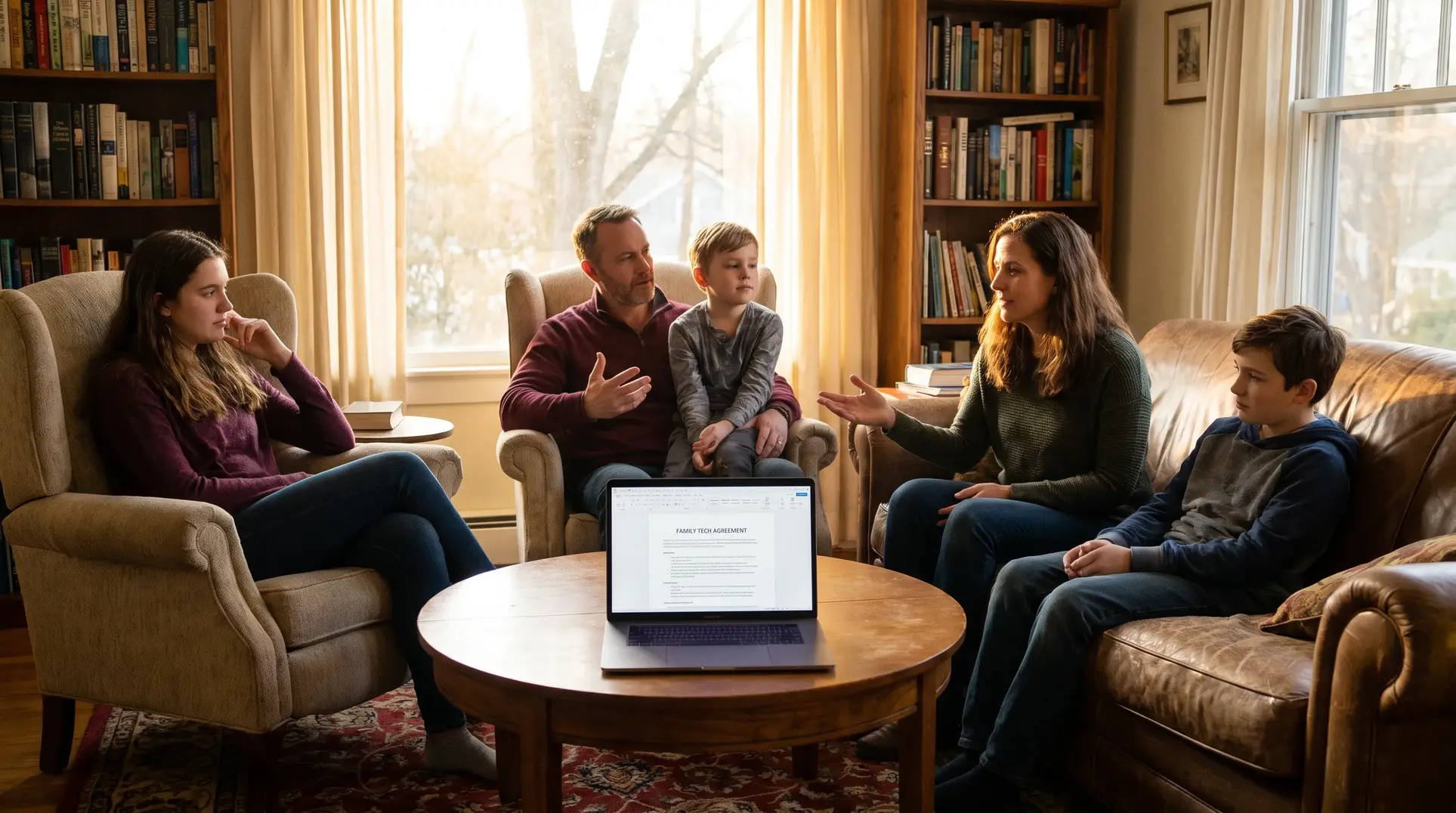
A family sits in a cozy living room with a laptop on a table displaying a 'Family Tech Agreement'; bookshelves in the background.

If you have ever handed your child a new device or discovered they have been chatting with an AI chatbot without your knowledge, you are not alone. Technology moves faster than parenting advice, and most families are piecing together rules on the fly. A family media plan offers a different approach: a written agreement that covers screens, phones, gaming and now AI tools, created together so everyone knows what is expected. This is not about controlling every minute of screen time. It is about having honest conversations, setting boundaries that make sense for your family, and building the kind of trust that helps kids come to you when something goes wrong online. At Foundations for Emotional Wellness, we have created FFEW’s free Family Tech and AI Agreement template to help families get started, and this guide will walk you through how to use it.

Child with tablet family conversation

Who This Guide Is For (And Who It Is Not For)

This article is for parents of children roughly ages 6 to 17 who want a practical way to set technology expectations as a family. It works well if you are:

  • Introducing a first phone, tablet or gaming device
  • Realizing your current approach feels inconsistent or conflict-filled
  • Noticing your child is using AI chatbots for homework, entertainment or even emotional support
  • Preparing for a holiday when new devices often arrive

This guide is not a substitute for professional support if your child’s screen or gaming use is already causing serious problems with sleep, mood, school or relationships. We will cover when to seek help later in this article.

What a Family Tech and AI Agreement Actually Is

A family media plan is a written document that spells out how and when each person in the household uses technology. The Canadian Paediatric Society describes it as a chance to talk about healthier habits together, setting individual limits on use and content while making expectations clear for everyone, including adults.

The difference between a plan and a list of rules is collaboration. A list of rules is something parents hand down. An agreement is something the family builds together, which means kids are more likely to understand why the boundaries exist and more willing to follow them.

Today, an effective agreement needs to go beyond screen time. It should also address:

  • AI tools such as chatbots, homework helpers and image generators
  • Privacy and what information stays private
  • Content and what is appropriate at different ages
  • Money and in-app purchases
  • What happens when something goes wrong

Why Agreements Work Better When Kids Help Write Them

Research from MediaSmarts found that children with household rules about technology use are less likely to post personal contact information, visit risky sites or talk to strangers online. Importantly, older kids are more likely to follow rules they helped create.

This makes sense from a developmental standpoint. When children have a say in the rules, they understand the reasoning behind them. They feel respected rather than controlled. And when the inevitable pushback comes, you can point to the agreement they helped write rather than feeling like the bad guy enforcing arbitrary limits.

Collaboration does not mean children get whatever they want. It means they have a voice in the conversation, and parents retain the final say on safety and wellbeing.

What to Include in Your Family Agreement

A comprehensive agreement covers several areas. You do not need to address every single point on day one, but having these categories in mind helps you build something complete over time.

Time and Places

  • When is recreational screen time allowed (after homework, on weekends)?
  • What are the screen-free zones (dinner table, bedrooms, car rides)?
  • When do devices get put away before bed? The Canadian Paediatric Society suggests turning screens off at least one hour before sleep.

Content and Apps

  • Which apps, games and platforms are approved?
  • Who needs to give permission before downloading something new?
  • What types of content are off limits?

Mom and daughter discussing AI tools

Privacy and Safety

  • What personal information should never be shared (address, school name, phone number)?
  • What are the rules about accepting friend requests or messages from strangers?
  • When should a child come to a parent about something uncomfortable they saw or experienced?

Money

  • Are in-app purchases allowed? Under what circumstances?
  • What happens if a child accidentally makes a purchase?

AI Tools

This is where many existing agreements fall short. MediaSmarts recommends that parents explore AI together at first, make sure children know to come to a parent if a chatbot says something inappropriate or upsetting, and explain that chatbots are not a replacement for real friends or qualified mental health support. Your agreement should address:

  • Which AI tools (if any) are approved for use
  • Adult supervision requirements for younger children
  • Rules about AI and schoolwork (check your child’s school policy first)
  • A clear statement that AI chatbots are not therapists, doctors or real friends
  • What to do if a chatbot says something confusing, scary or inappropriate

What Happens When Things Go Wrong

  • How will the family handle broken rules?
  • What is the promise about coming to a parent for help without automatic punishment?

Sample Clauses by Age

Different ages need different levels of structure and independence. Here are some starting points:

Ages 6 to 9

  • Screens are used in shared family spaces, not bedrooms
  • An adult approves all apps, games and videos before use
  • AI tools are only used with an adult present
  • If something online feels scary or confusing, tell a grown-up right away
  • No sharing your full name, school, address or photos without permission

Ages 10 to 12

  • Recreational screen time happens after homework and chores are done
  • New apps require parent approval; we will discuss why certain apps may not be appropriate yet
  • AI can help with brainstorming or explaining concepts, but you must understand and be able to explain any work you submit
  • Group chats can get tricky; if something uncomfortable happens, tell a parent without fear of losing your device
  • Privacy settings are reviewed together

Ages 13 to 17

  • More independence with demonstrated responsibility; privileges can expand as trust is built
  • AI homework rules follow your school’s policy; disclose use when required
  • AI chatbots are not therapists; for real worries about mood, anxiety or safety, talk to a trusted adult or contact Kids Help Phone
  • Social or romantic AI companions are not approved
  • Parents will be transparent about any monitoring; privacy increases as responsibility grows
  • Coming to a parent about a problem (bullying, sexual pressure, a mistake) will be met with calm support first

For more detailed guidance on age-appropriate limits, see our guide to managing screen time. If you are specifically wondering whether your child is ready for a phone, this article on smartphone readiness can help.

How to Hold the Family Meeting

The conversation matters as much as the document. Here is a simple process:

  1. Set the tone. Start by saying something like: “We are not making rules because you did something wrong. We are making a plan that we all follow, me included, so everyone knows what to expect.”
  2. Download the template. Use FFEW’s free Family Tech and AI Agreement template as your starting point. Print it out or pull it up on a shared screen.
  3. Ask open questions. What does your child think is fair? What worries do they have? What do they wish you understood about how they use technology?
  4. Share your concerns without lecturing. Be honest about what worries you (sleep, safety, content, AI) without turning it into a lecture.
  5. Write it together. Fill in the sections, making sure everyone understands each point.
  6. Include adult commitments. This is not just about kids. Adults should commit to device-free meals, not using phones while driving, and explaining their own necessary device use.
  7. Sign it. Having everyone sign creates a sense of shared commitment.

What to Say When You Get Pushback

Expect some resistance, especially from older kids. Here are some responses:

  • “Everyone else has it.” “I hear you, and I know it feels that way. Our family makes decisions based on what we think is right for us, not what other families do. Let us talk about what specifically you are wanting.”
  • “You don’t trust me.” “This is not about trust. It is about building trust over time. As you show responsibility, your freedoms will grow.”
  • “This is unfair.” “Tell me more about what feels unfair. I want to understand your point of view.”

Rules for Parents Too

Children notice when adults do not follow the same principles they enforce. Your agreement is stronger when it includes adult commitments such as:

  • No phones at the dinner table (for anyone)
  • No texting while driving
  • Explaining when device use is necessary (“I need to answer this work email, I will be done in five minutes”)
  • Modelling healthy media habits

Calm Follow-Through When the Agreement Is Broken

Rules will be tested. When they are, aim for consequences that are:

  • Related to the problem (reviewing privacy settings after oversharing, not an unrelated month-long ban)
  • Proportionate to the issue
  • Known in advance so they do not feel arbitrary
  • Repair-focused rather than purely punitive

Most importantly, protect disclosure. If your child comes to you about something scary, a mistake they made, or pressure they are experiencing, your first response should be calm support, not immediate punishment. This keeps the lines of communication open for when it really matters.

Reviewing and Updating the Agreement

A family media plan is not a one-time document. The American Academy of Pediatrics suggests revisiting it at the start of each school year and during holiday breaks. It is also worth revisiting when new devices arrive or whenever circumstances change. As children mature, the agreement should evolve too, typically with more autonomy and fewer restrictions.

Good times to review include:

  • Back to school
  • Before a birthday or holiday when new devices may arrive
  • After a significant problem or concern
  • When your child moves to a new developmental stage

Ask: What is working? What is not? What should change? Keep the conversation going.

When to Seek Help

A family agreement is a prevention and communication tool, not a treatment. If you are noticing ongoing problems, it may be time to seek professional support. The Canadian Paediatric Society lists signs that screen use may be becoming a problem:

  • Interference with sleep, school or face-to-face relationships
  • Oppositional behaviour when limits are set
  • Negative emotions after being online or gaming
  • Complaining about being bored or unhappy without access to technology

If these signs persist, talk to your family doctor or paediatrician. If you would like support in managing these challenges, parent coaching at FFEW can help you develop strategies tailored to your child and your family.

Some families are also choosing to delay smartphones altogether. If you are curious about that approach, this article on why some families are delaying smartphones explains the thinking behind initiatives like Unplugged Canada.

Family signing tech agreement together

Getting Started Today

You do not need to have all the answers before you start. The process of talking together is where the real work happens. Download FFEW’s free Family Tech and AI Agreement template, gather your family, and begin the conversation. Start with what matters most to you right now, and build from there.

Technology is not going away, and neither is your influence as a parent. A thoughtful agreement gives your family a shared language for navigating screens, phones, gaming and AI together, with clear expectations, room for growth, and the understanding that when something goes wrong, asking for help is always the right choice.

Frequently Asked Questions

Children are more likely to understand and follow boundaries when they have a voice in creating them, while parents still make the final safety decisions.

Use consequences that are related, proportionate, known in advance and focused on repairing the problem. Respond calmly when a child asks for help.

Review it when a new device arrives, before holidays or the school year, after a significant problem, or as your child becomes more independent.

It is a written plan created together that sets expectations for screens, phones, gaming, privacy, online safety, money and AI use.

Clarify which tools are allowed, whether supervision is required, how AI may be used for schoolwork, and why chatbots are not therapists, doctors or real friends.

Cassandra Harmsen
Cassandra Harmsen
Cassandra Harmsen is a clinical therapist at FFEW with over ten years of experience supporting children, adolescents, and families across hospitals, private practice, and community settings. She uses CBT, Emotion Focused Family Therapy, and ACT to help families navigate behavioural challenges.

Take the first step toward calm, connected parenting

You don’t have to keep guessing. With the right tools and support, parenting can feel easier—and your child can thrive.

Book a Free Consultation


How we Treat

What we Treat

Boy in glasses holding his head with his cheeks puffed out

Why Do Kids Lie?

Explore the reasons behind children's lying and discover compassionate strategies for addressing this behaviour. Underst…

Read more

Woman sitting on the floor talking with a small group of young children

Strategies for Managing Sibling Rivalry and Fostering Family Harmony

Explore practical strategies to manage sibling rivalry and foster harmony at home.

Read more

Older child talking with a younger child at the kitchen table

Navigating Tween Rudeness: Strategies for Understanding and Shaping Respectful Communication

Discover how to navigate your tween's rudeness with empathy and set boundaries to foster respect and growth in your pare…

Read more